Modular industrial SCADA system: it brings supervision, commands, alarms, history and indicators for the plant together in real time, with screens built without a programmer.
PSi4 (PSi 4) is Marrari’s industrial SCADA supervisory and industrial control system. It brings together on a single screen the data from PLCs of many manufacturers, sensors, Marrari equipment and other systems, to monitor, manage and control the plant in real time: setpoints, recipes and equipment, with permissions per user. It is modular SCADA software, a supervisory system that runs on Windows (Microsoft .NET), offers web and mobile access as modules and is configured by the user or the integrator, without a programmer. Three solutions run on the same platform: PSi4 SCADA, PSi4 Water, for water and wastewater, and PSi4 Production Control, with OEE and batches. Licensing is by number of TAGs, as a purchase or a monthly subscription, and there is a free 30-day demo.
Alarms on your phone via Telegram
Screens without a programmer
Multi-user with permissions
For whomIndustries in any sector: boilers, energy, water and wastewater, production lines and machines
DataReal time, history, alarms and indicators stored in a database
No programmerScreens, charts and dashboards built in the software itself
License per TAGPurchase with no monthly fee, or pay monthly for what you use
Why measure
Why supervise the plant on a single screen?
With data scattered across panels, spreadsheets and PLCs, problems are found late, once they have already grown. In PSi4, the whole process is visible in real time, and the alarm reaches your phone when something goes off standard.
Without PSi4With PSi4
Without PSi4Spreadsheets and calls between shifts to know the plant status
With PSi4Status now, not at the end of the shift: up-to-date screens and indicators.
Without PSi4Data scattered across panels, spreadsheets and PLCs from different makers
With PSi4Everything connected: PLCs from many manufacturers, sensors, remote components, ERP, BI and other databases in a single view.
Without PSi4Problems found late, once they have already grown
With PSi4Alarms in time: prioritized alarms, on your phone too, so the team acts before the failure.
Without PSi4Gut-feeling decisions, with no reliable process history
With PSi4Decisions on real data: history, trends, faults and indicators to analyze the process and support maintenance, engineering and management.
Application
PSi4 solutions and applications
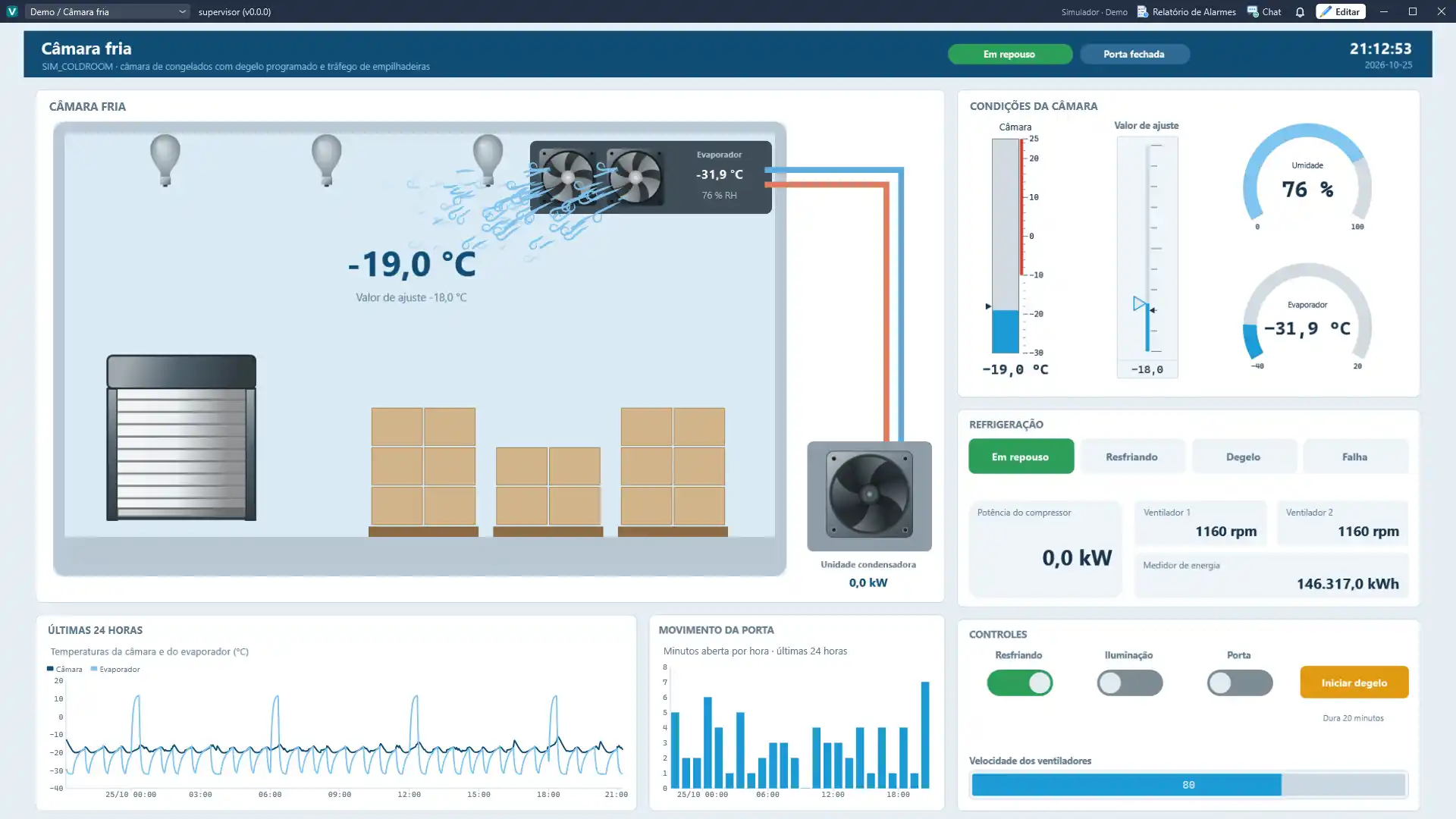
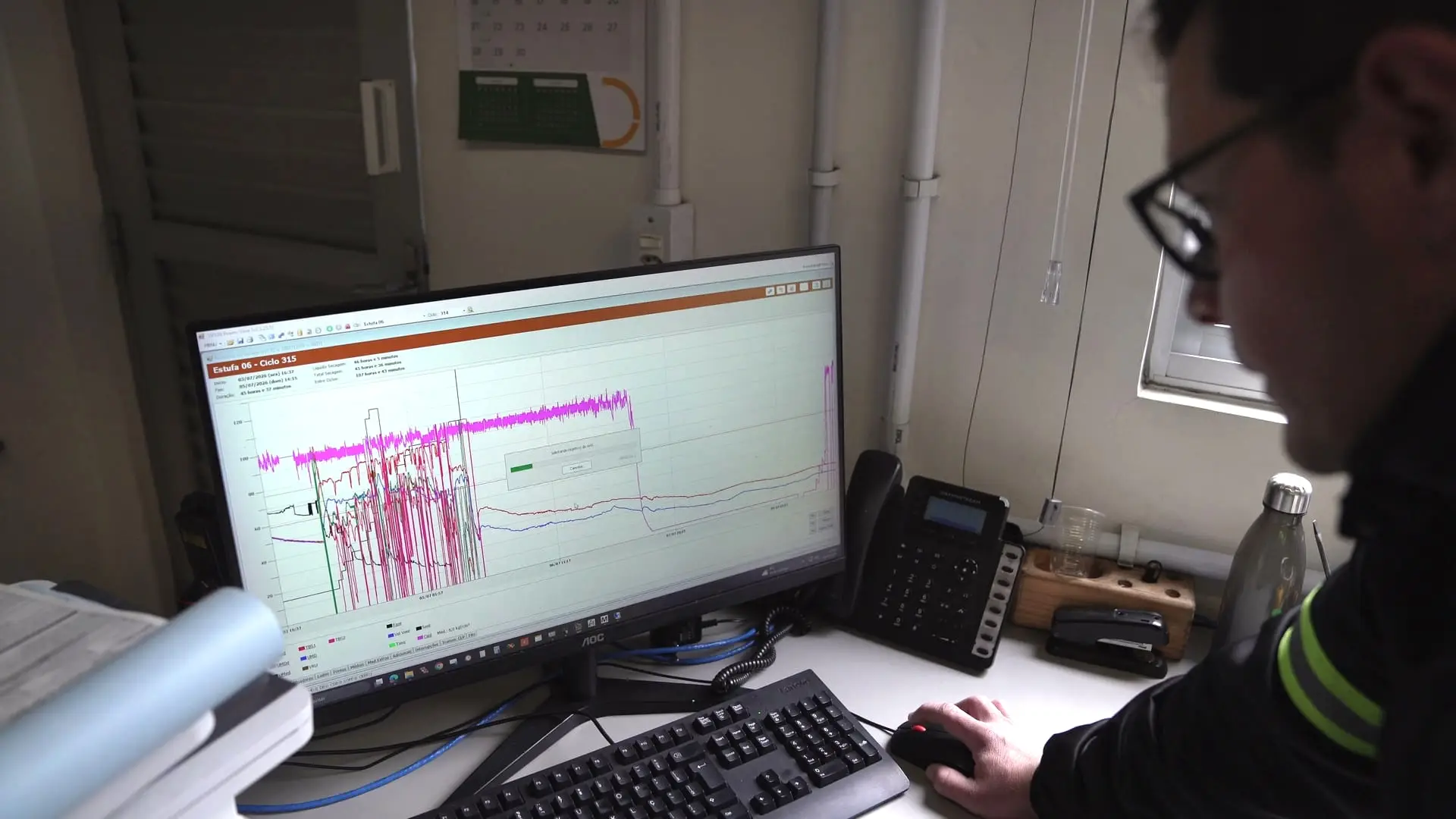
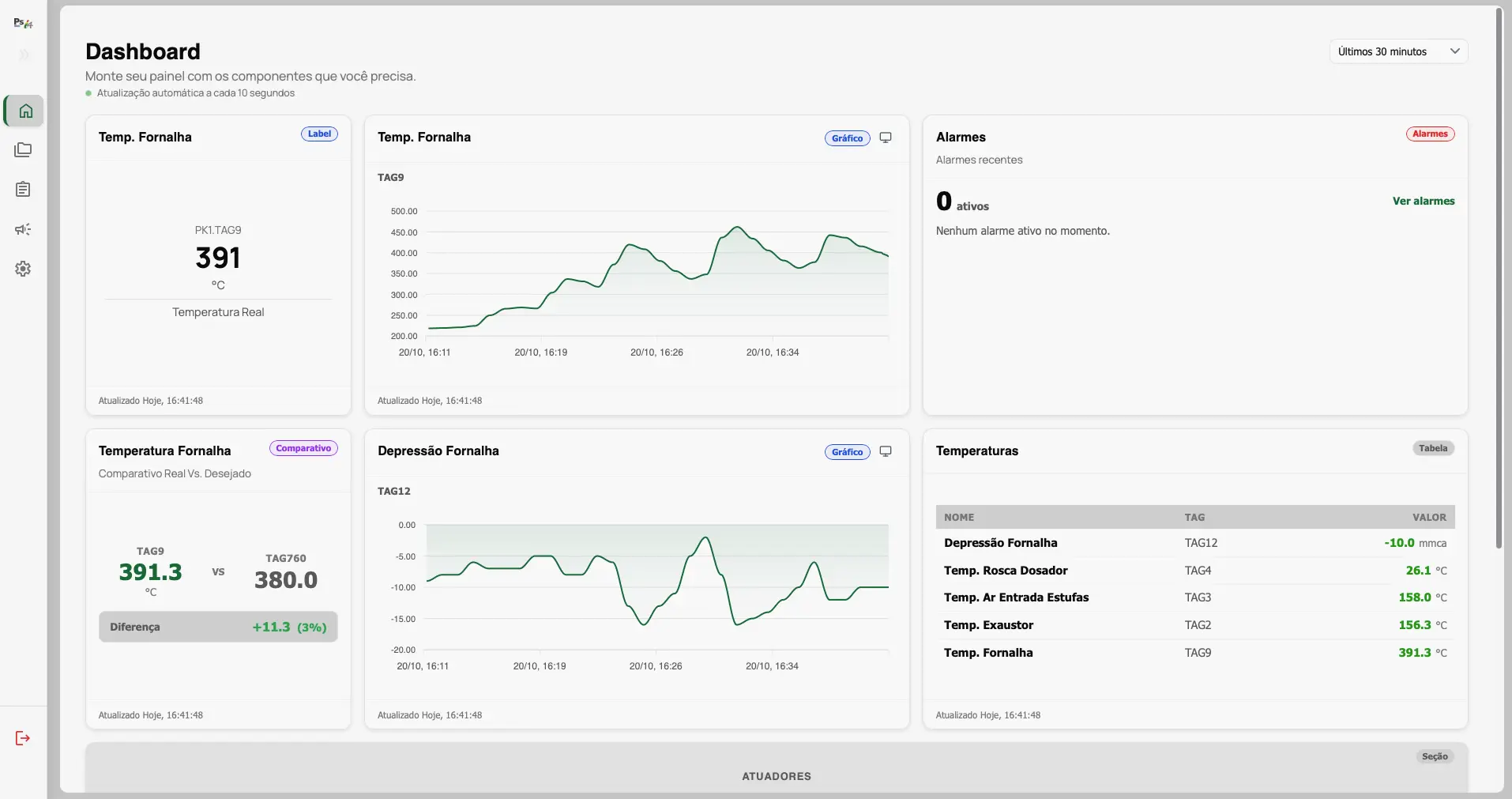
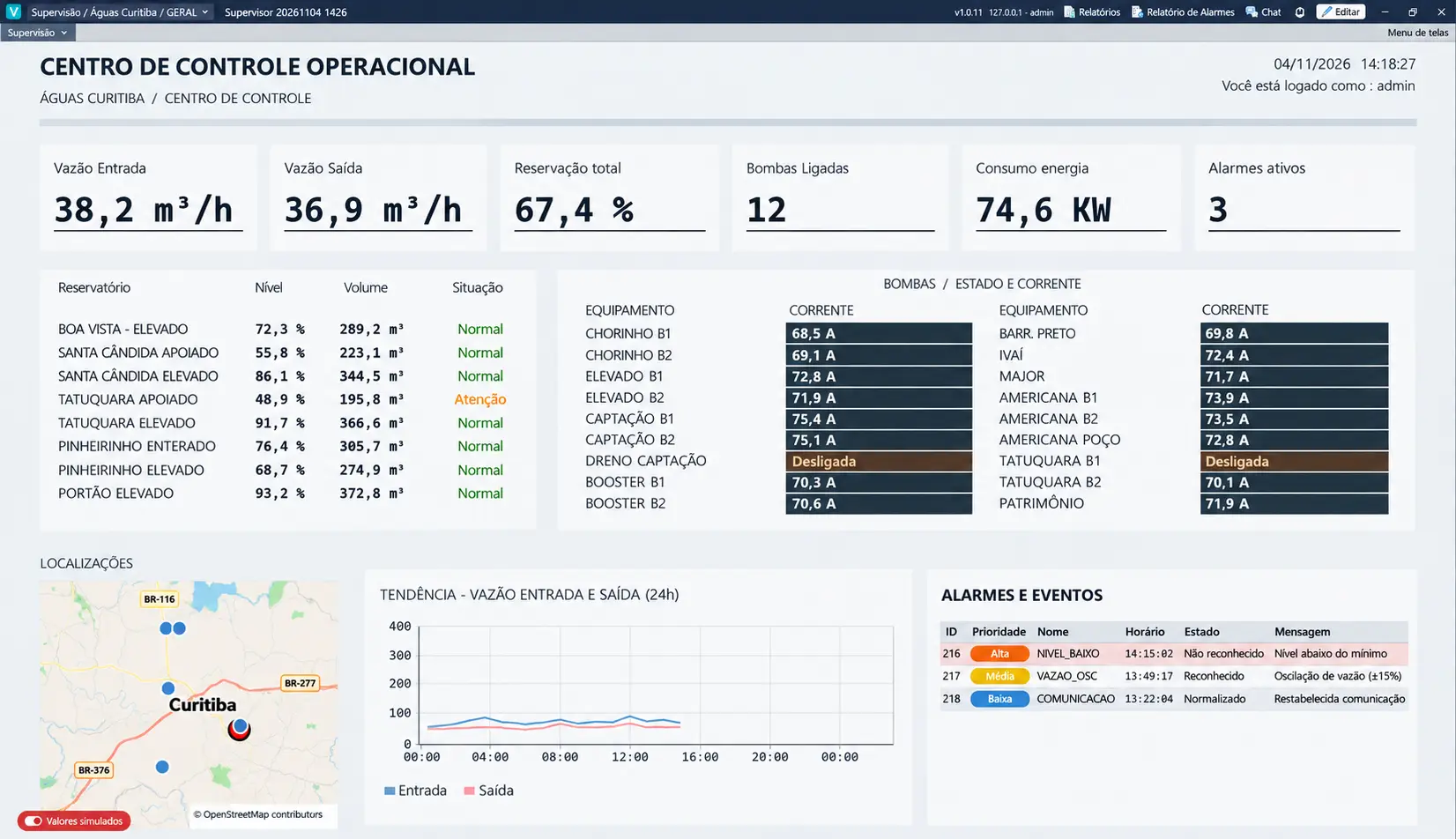
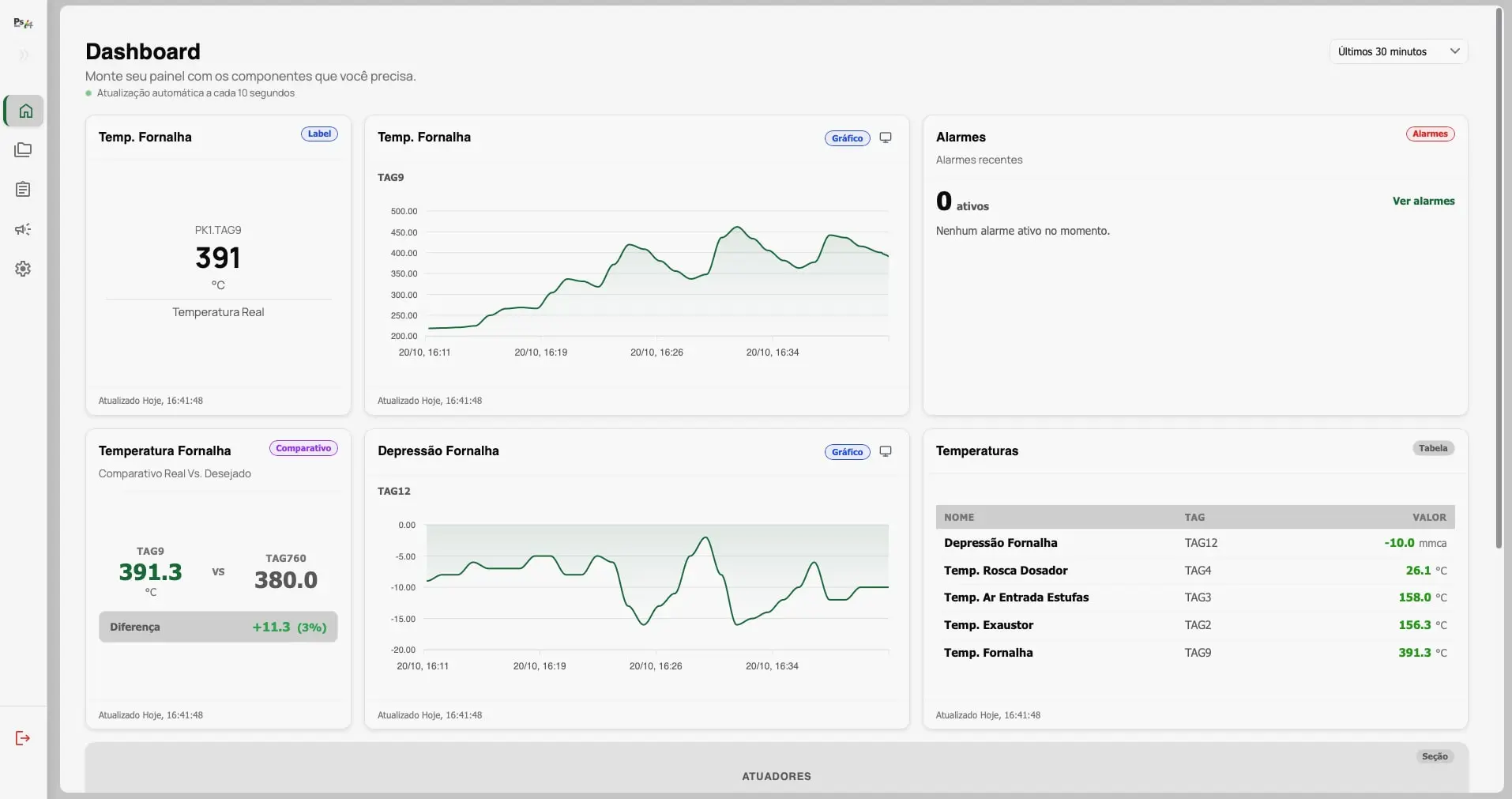
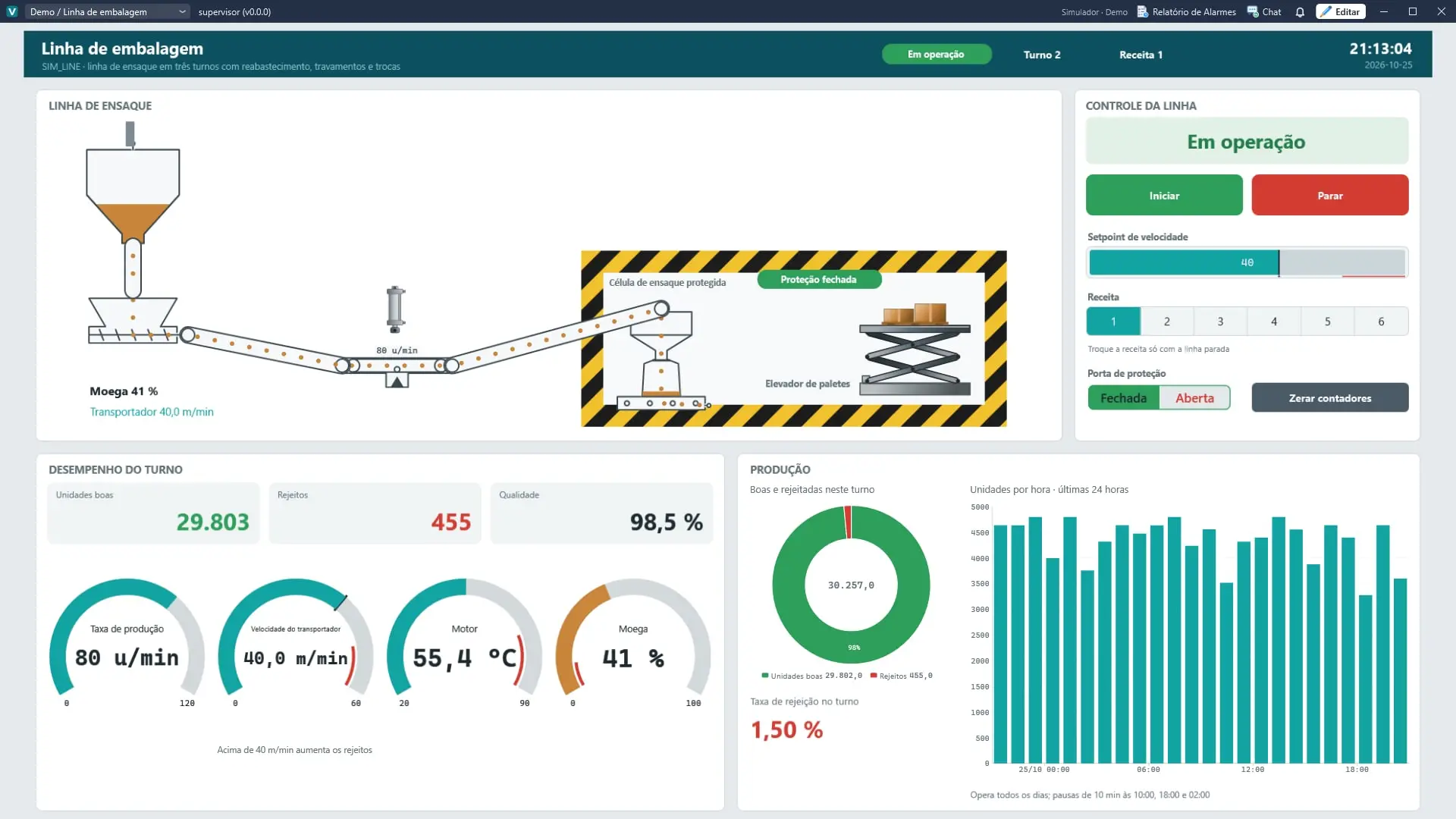
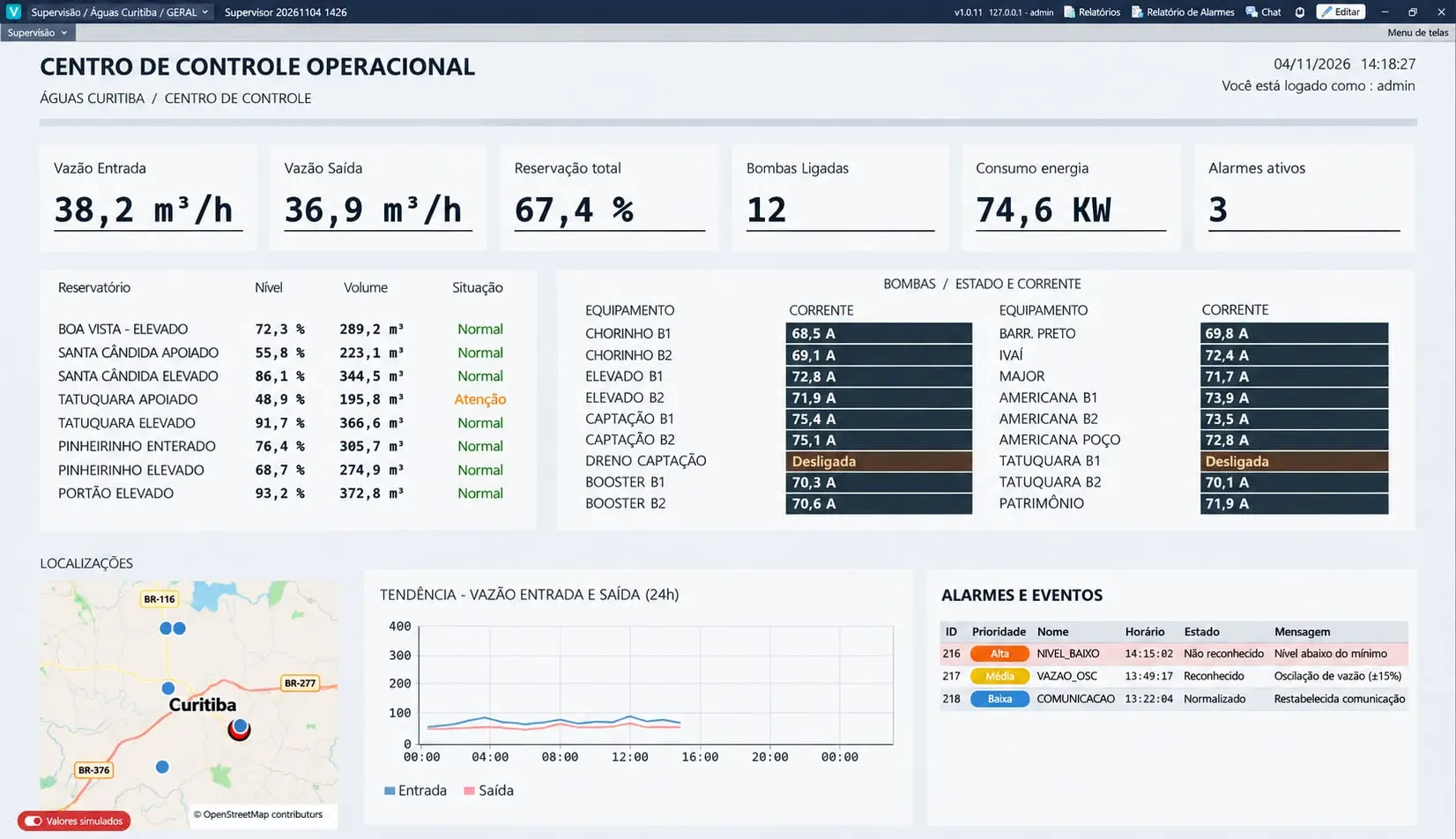
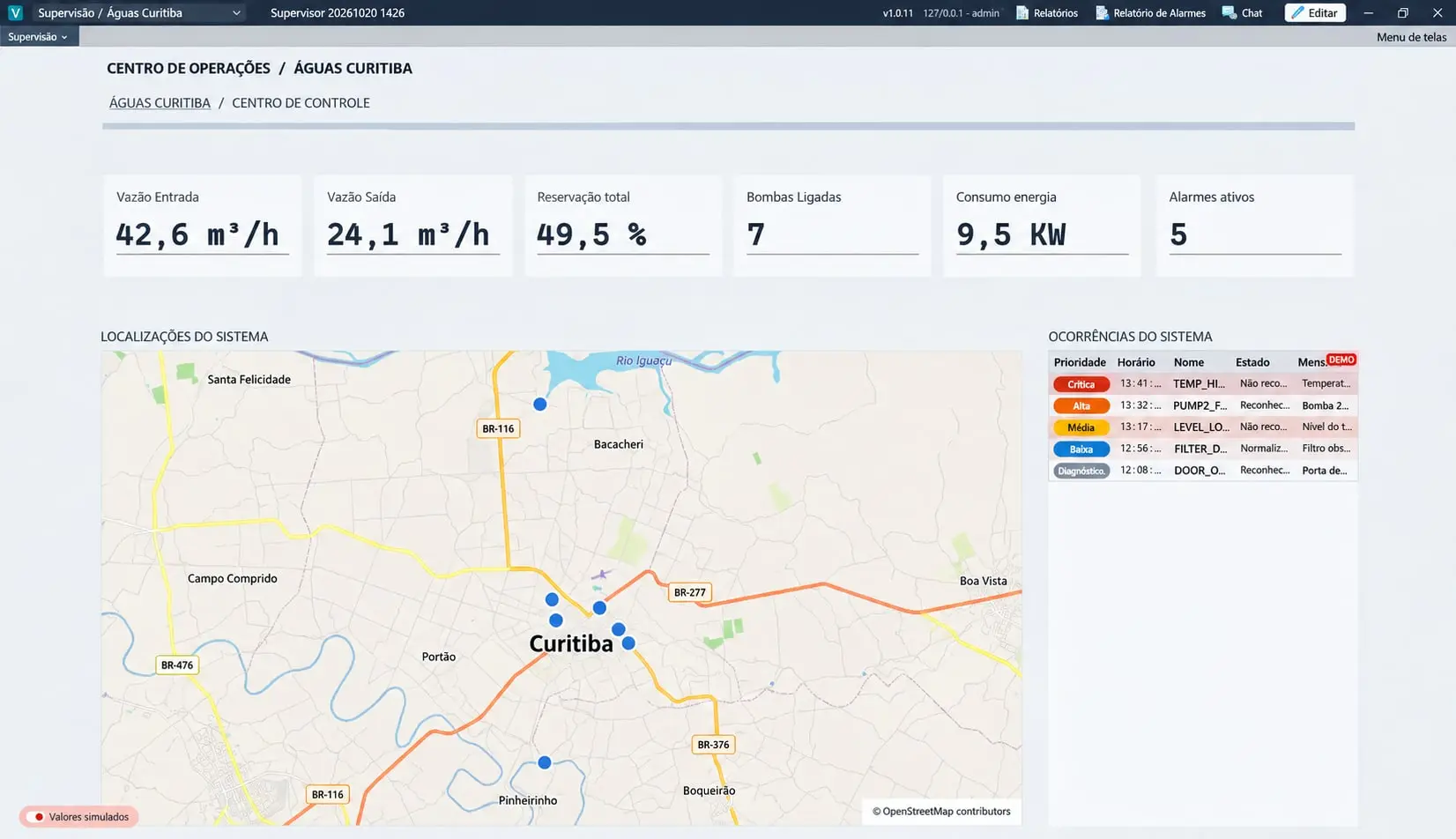
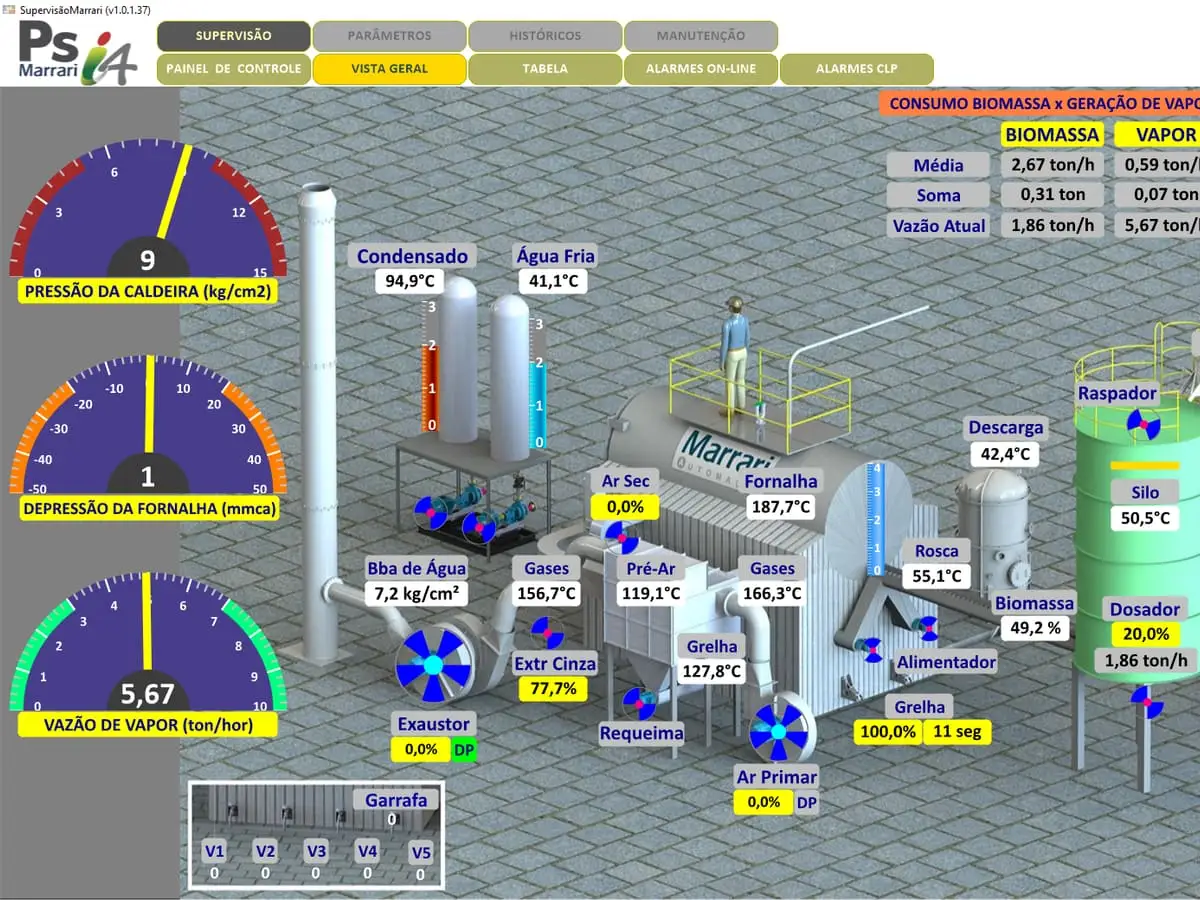
Three solutions on the same platform, for any process with PLCs, sensors or equipment to supervise. Each application is modeled on the customer’s real process, not on a generic template. The screens below are from real applications.
The three solutions and the most common applications:
PSi4 SCADAthe core platform: supervision, commands, alarms, history and indicators for machines, lines and entire plants.
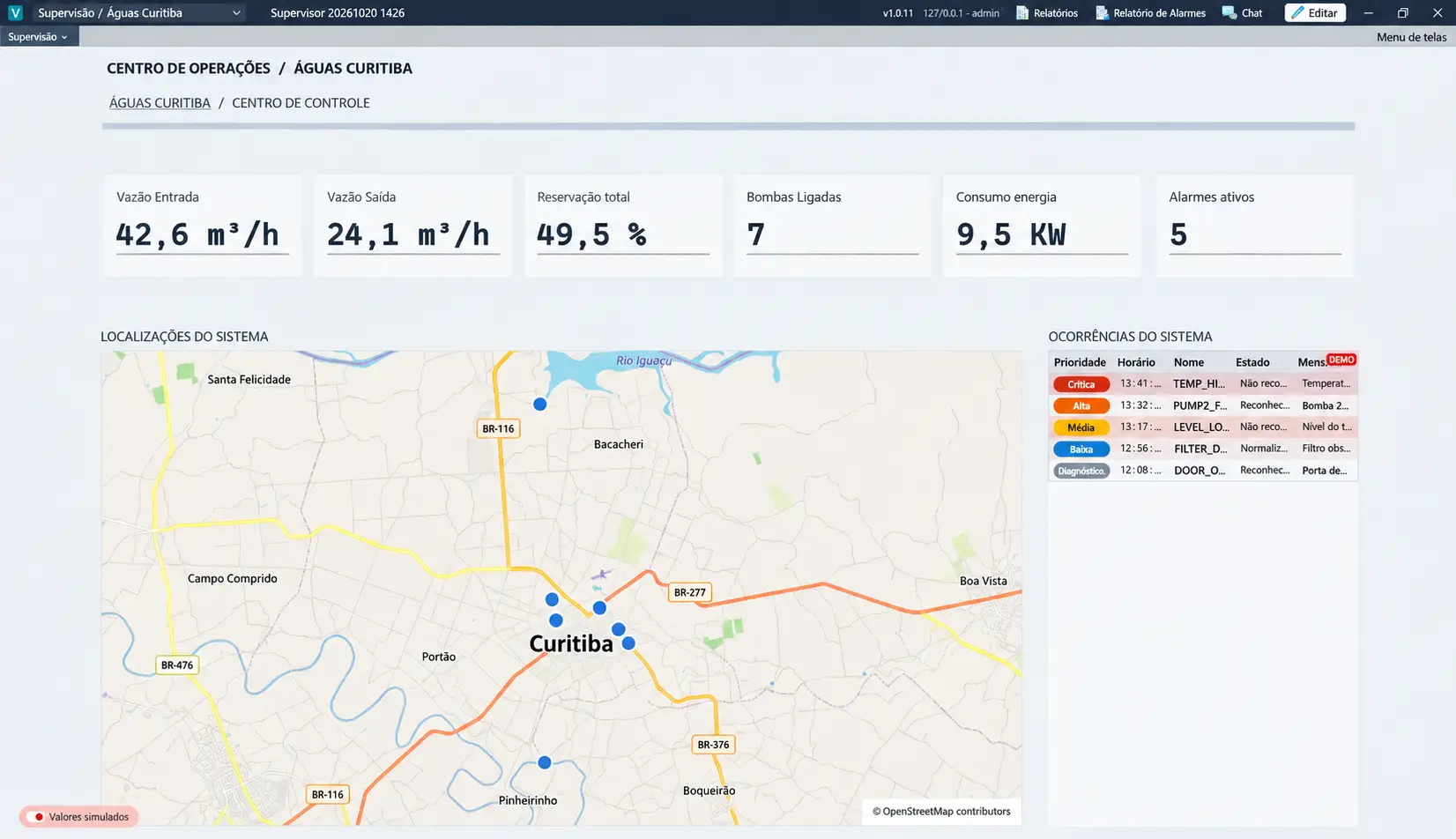
PSi4 Water (water and wastewater)water and effluent treatment plants, wells, reservoirs, boosters, pumping stations and intakes, with remote sites over 4G, radio or fiber.
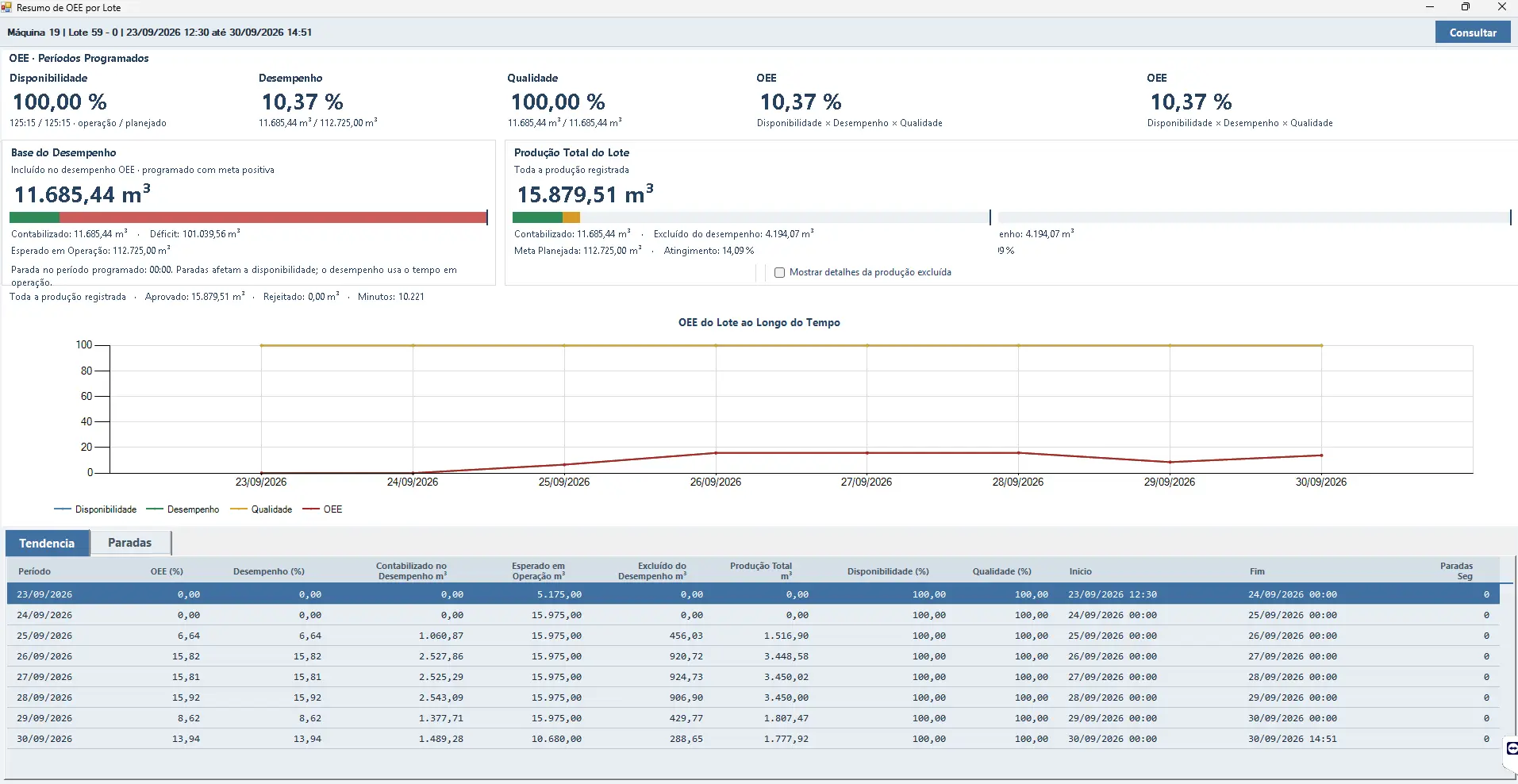
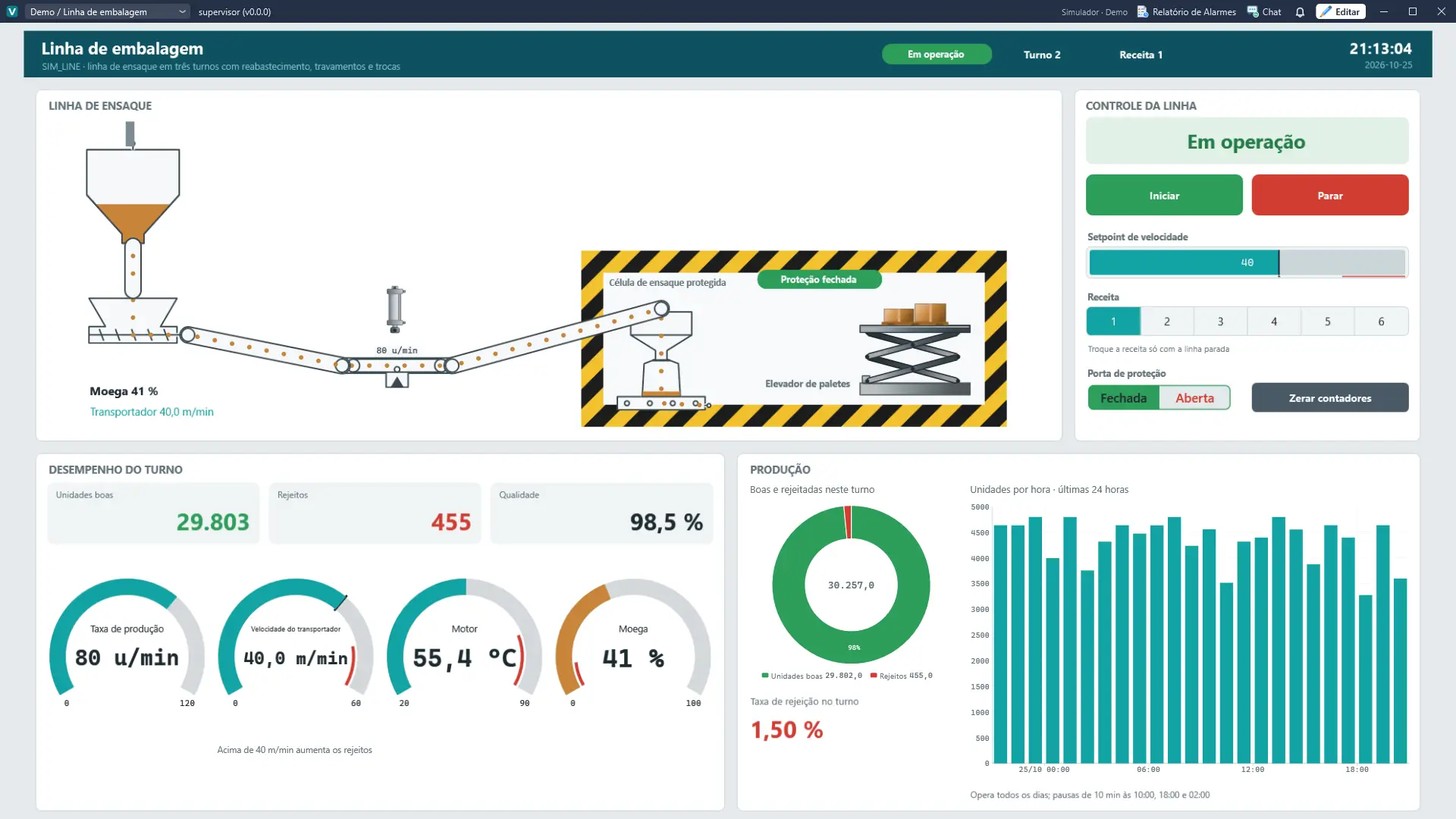
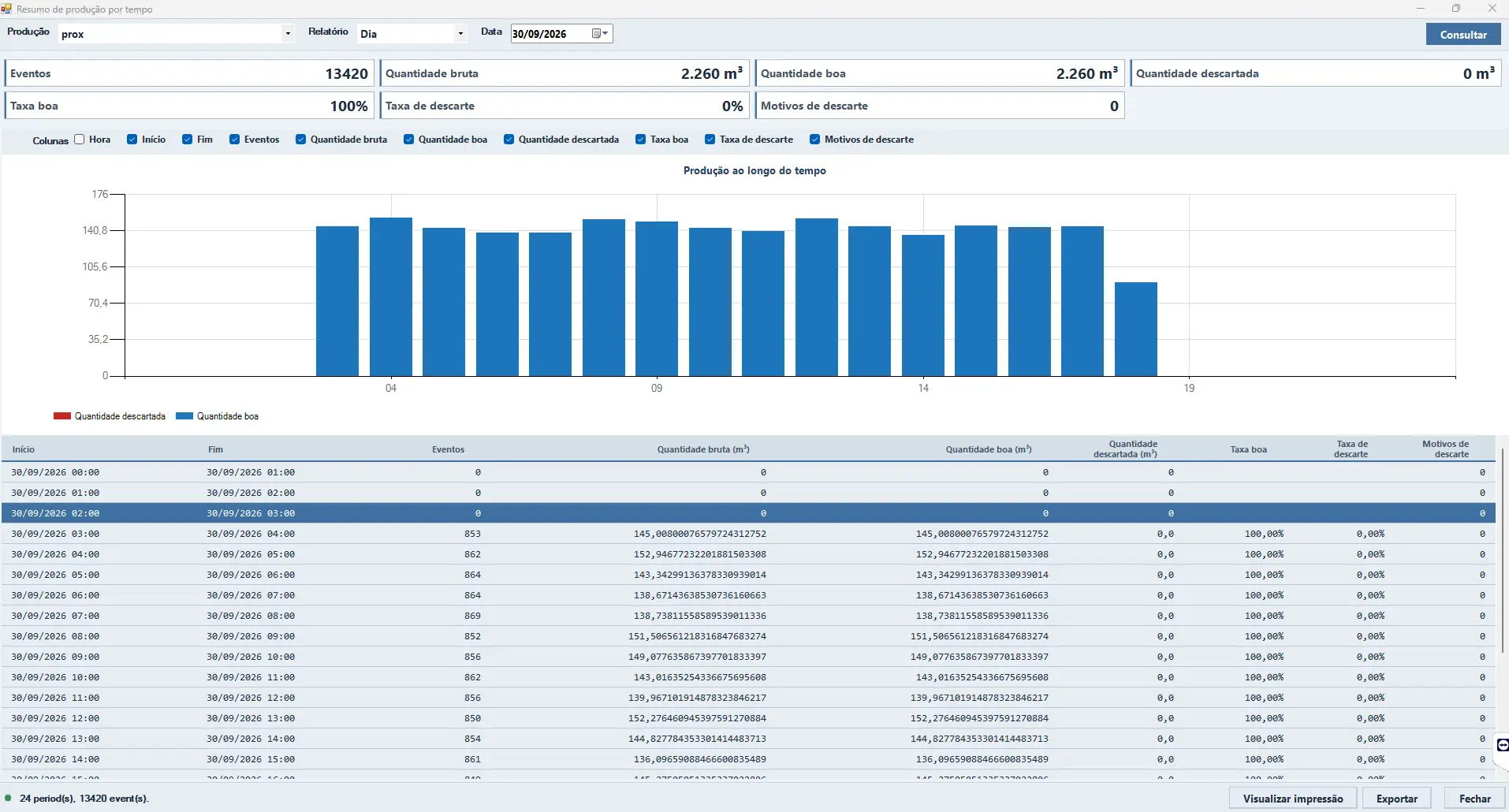
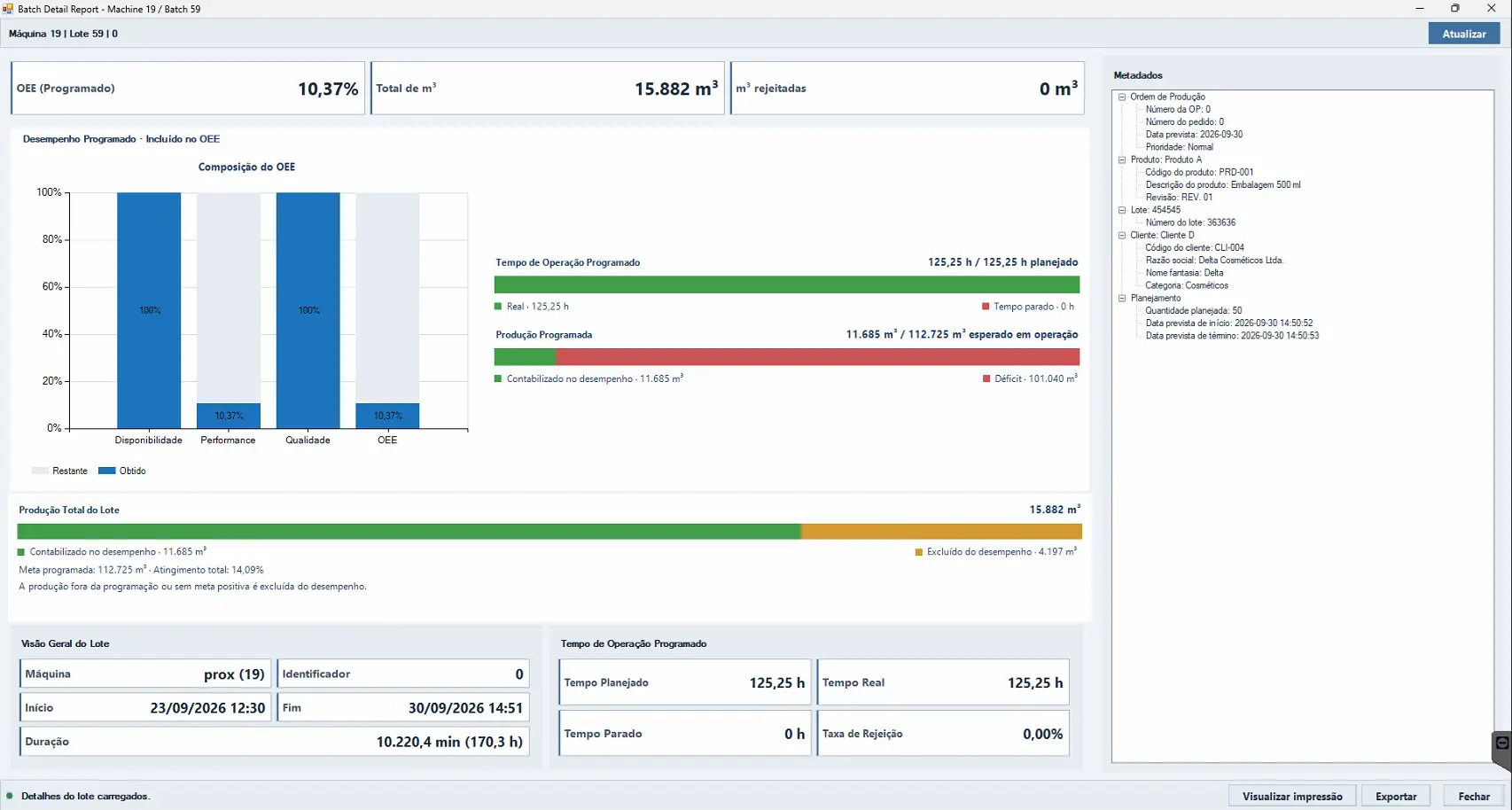
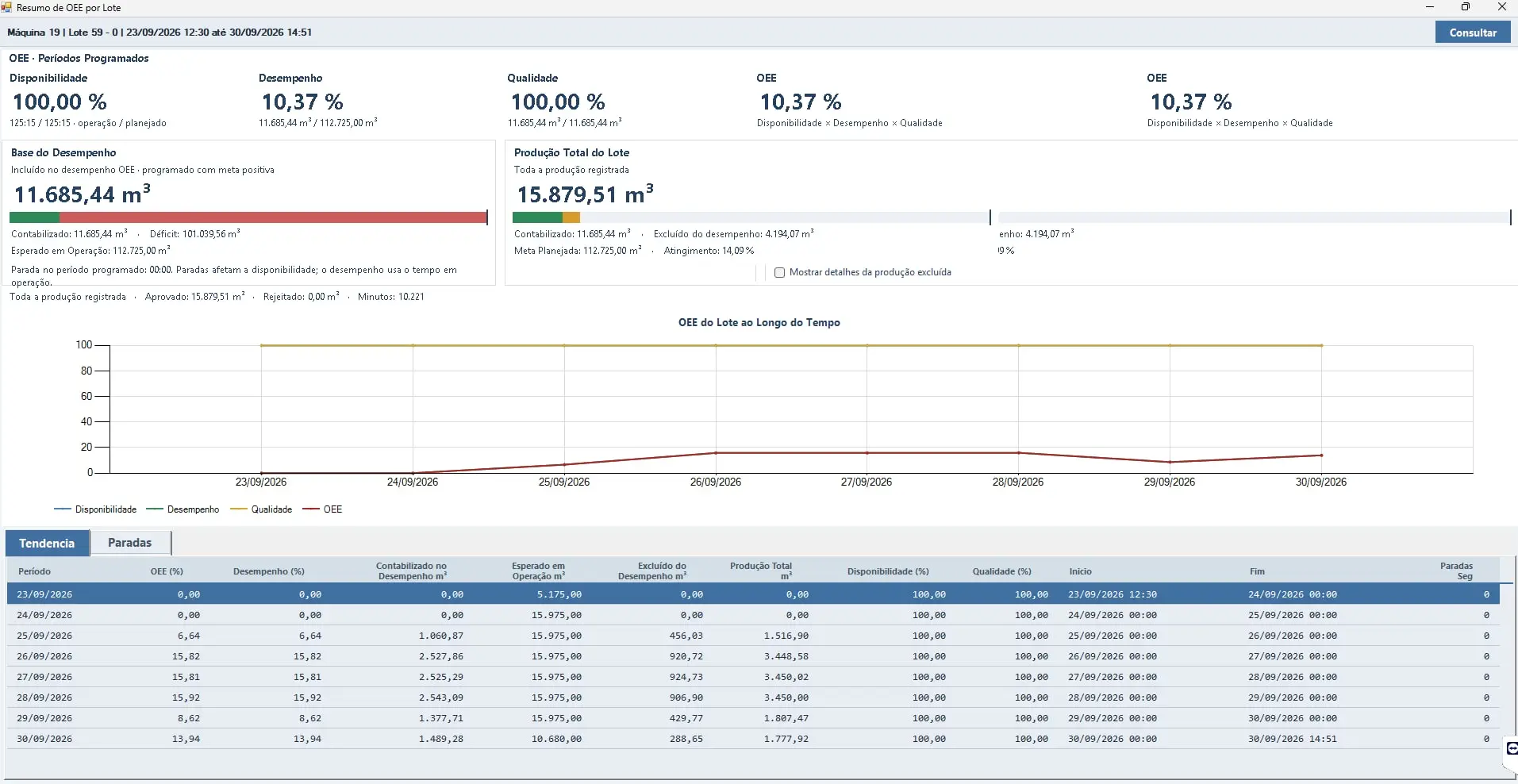
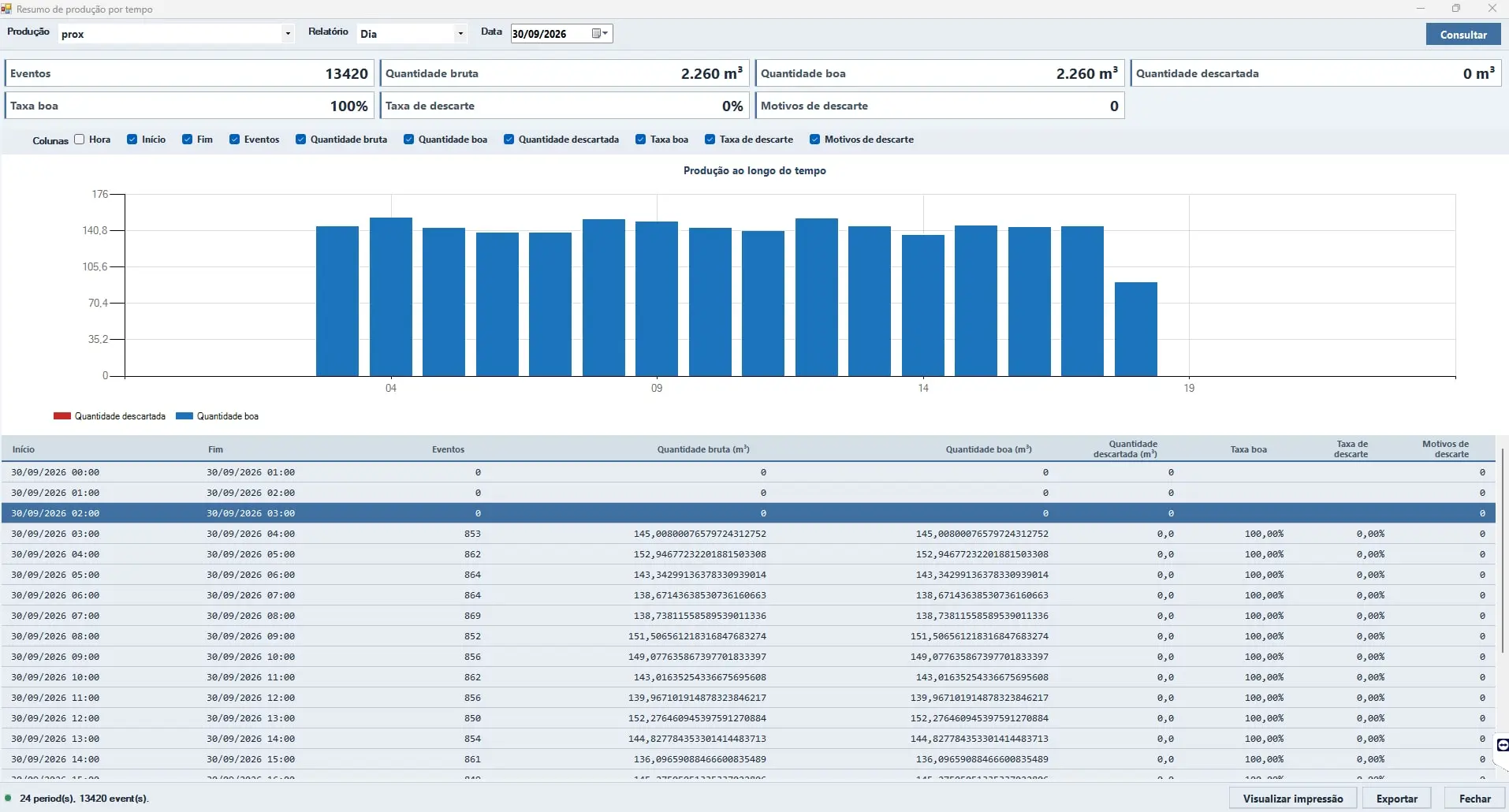
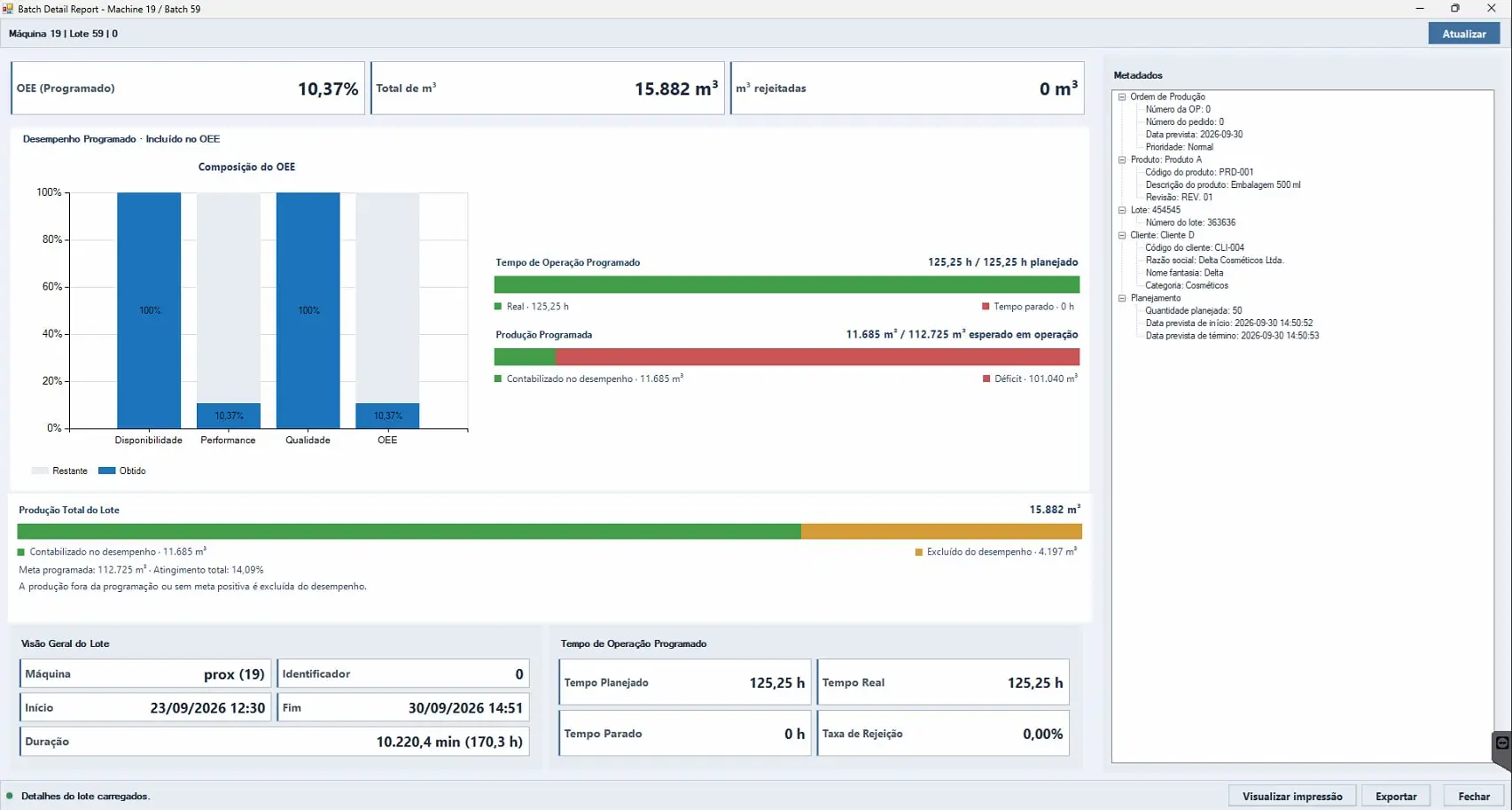
PSi4 Production Controlproduction by shift and batch, OEE, quality and losses, with a REST API for ERP and BI.
Industrial boilers · Solar and wind energy · Refrigeration · Complete plants · Marrari systems
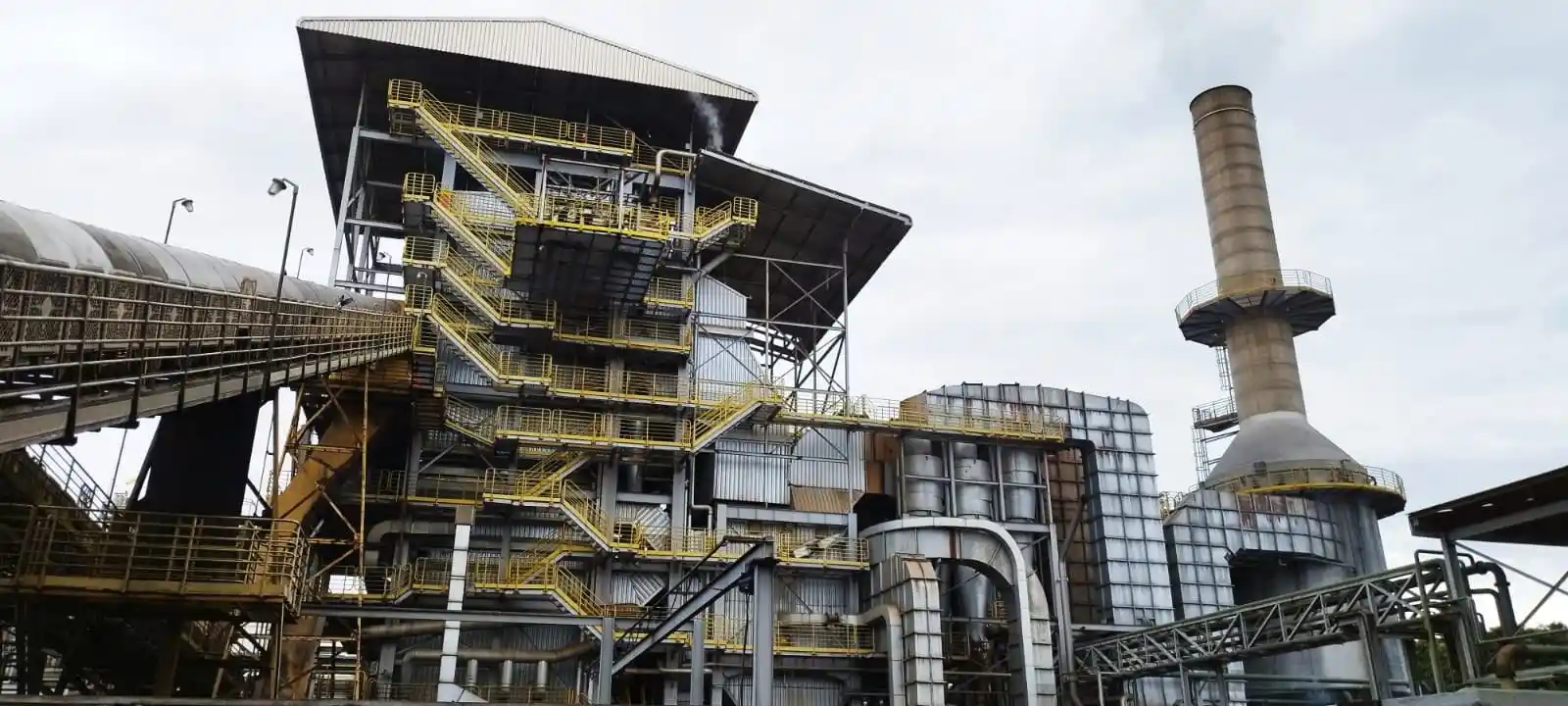
Industrial boilerssteam and power: efficiency, pressure, oxygen and biomass consumption.
Solar and wind energysupervision of generation plants.
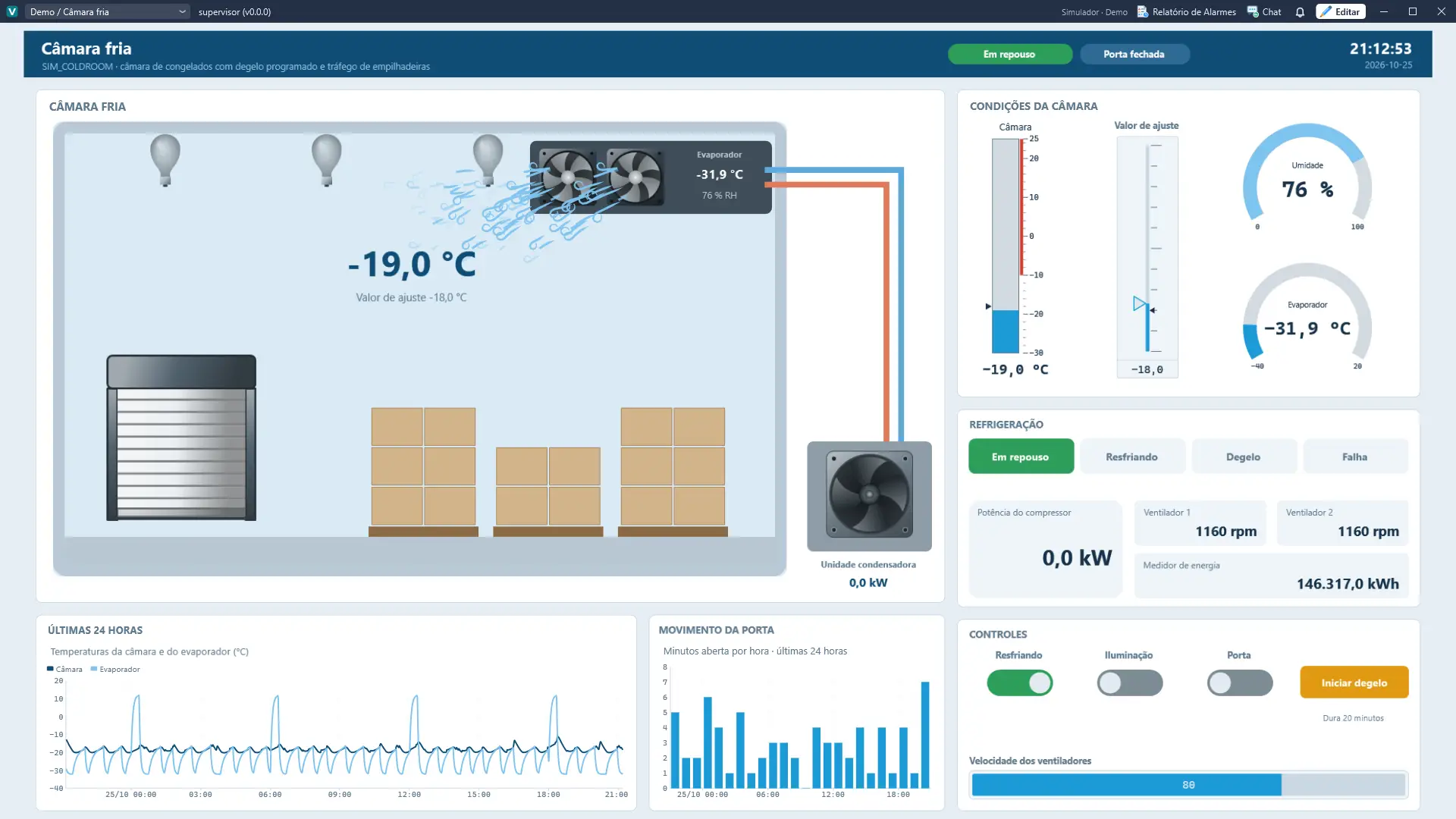
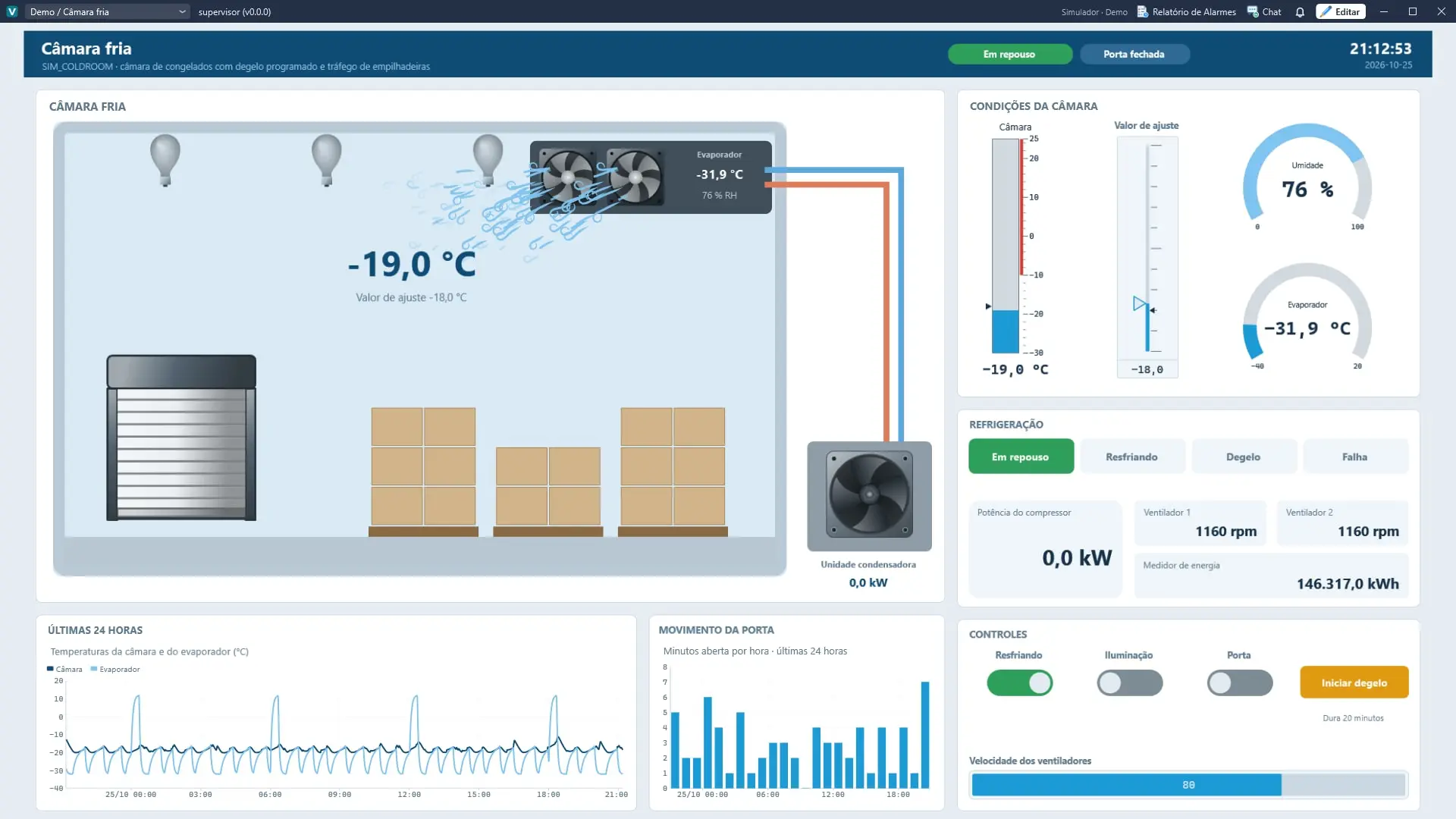
Refrigerationcold rooms, refrigeration equipment and systems.
Complete plantsintegration of PLCs, ERP and data hubs in a single SCADA system.
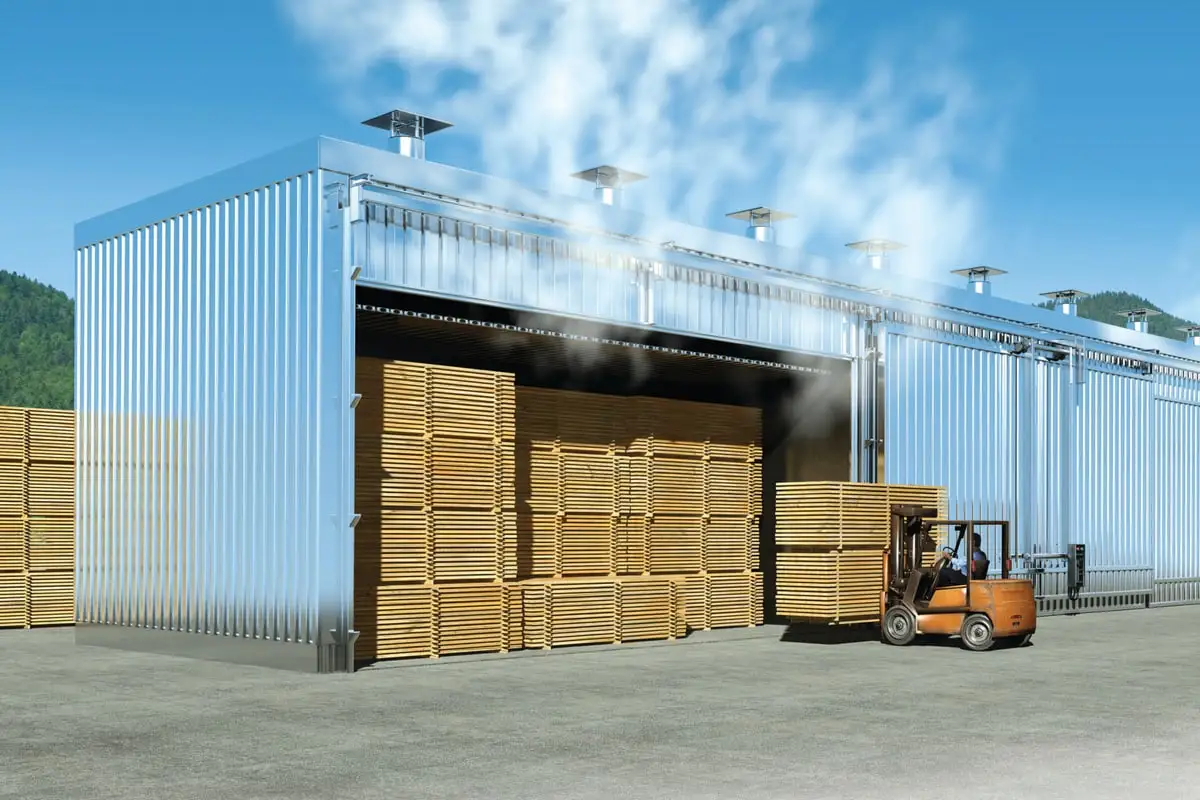
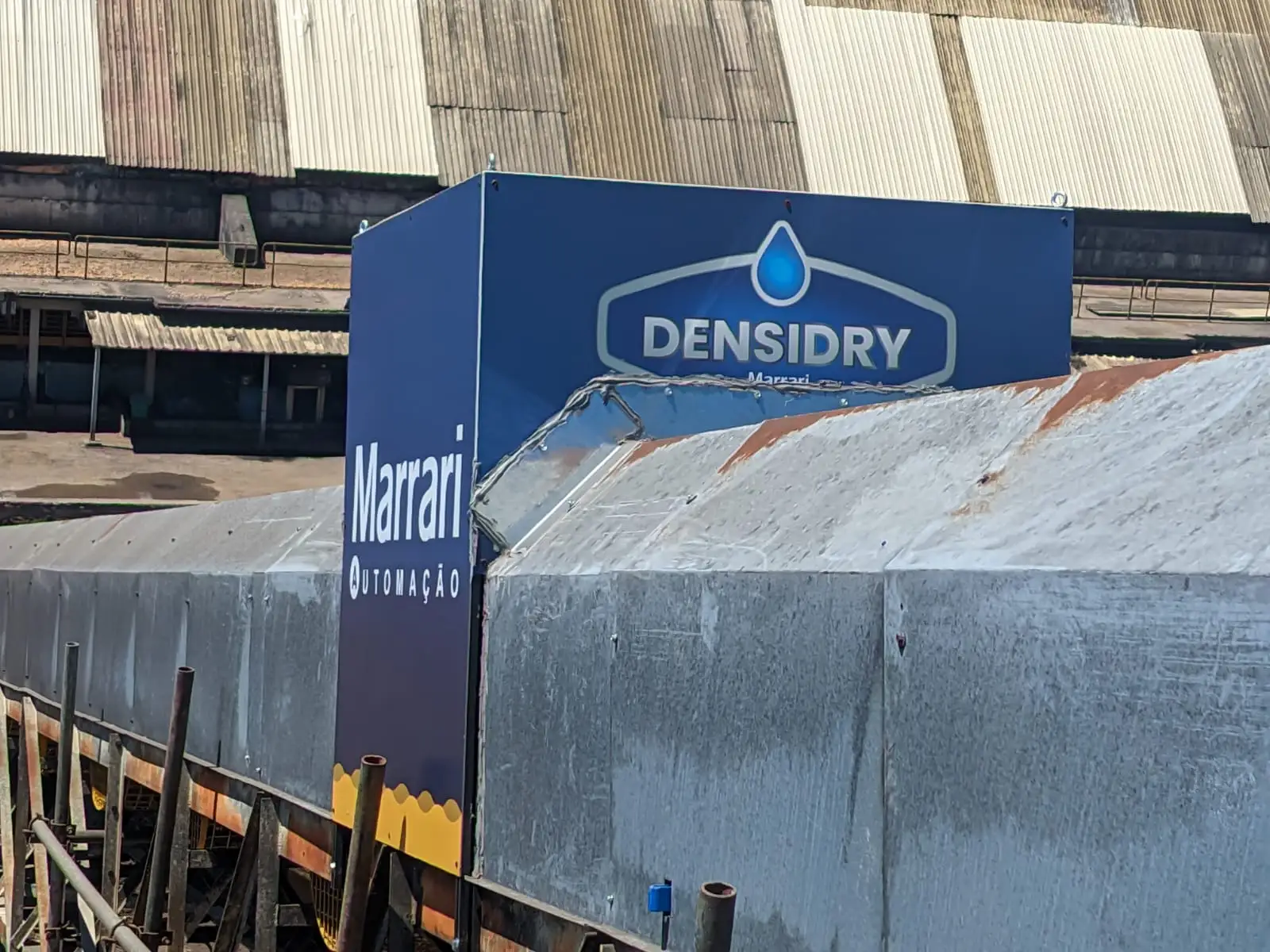
Marrari systemsbiomass boilers, kiln automation and moisture meters.
Principle
How PSi4 works
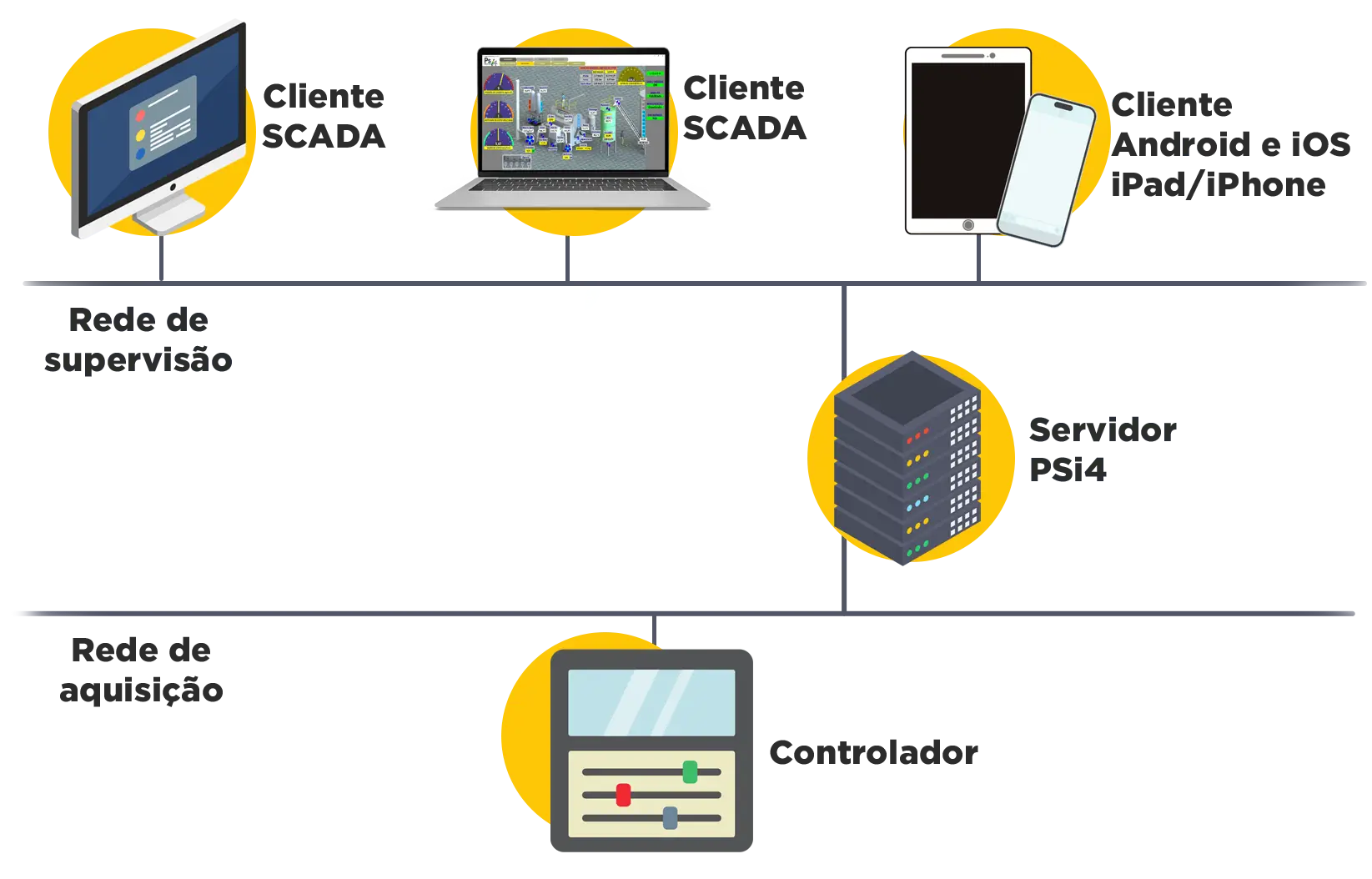
The PSi4 SCADA system is a three-part package: the Server collects and stores the data, the Viewer displays it and sends commands, and the modules extend what the system does. From sensor to indicator, without losing the thread.
Video: how the PSi4 SCADA system works (in Portuguese)
PSi4 structure: Server Si4 talks to the plant; Viewer Vi4 and the Mi4 Modules use the data.
Server Si4: collects, processes and stores
Communicates with the plant devices, reads and writes TAGs (including formula TAGs), runs rules, scripts and calculations, manages alarms and stores data in the database, with users, permissions and backups.
Viewer Vi4: shows and lets you act
Supervision screens tailored to each installation, built in the software itself with an image library, in independent tabs and windows, with equipment states, levels, pressures, flows, charts, alarms and commands in real time.
Features and modules: extend
Included: alarms, history, recipes, parameter restorer, scripts and Telegram notifications. As modules: production control (OEE), reports, dashboards, web, mobile, ERP and BI integration and advanced process control with machine learning.
You configure it and grow
No external or Marrari programmer needed: in Marrari’s video, an industrial furnace is configured in under 30 minutes. New TAGs, devices, screens and modules are added as the project grows.
Try PSi4 free for 30 days
Download the demo, install it on your computer and supervise your process, with our team’s support for installation. No cost, no commitment.
Supervision for boilers, energy, water and production
PSi4 brings PLCs from several manufacturers, the ERP and plant databases together on one screen, with commands, alarms, history and reports. Boilers, energy, water and production are monitored in real time, with screens built without a programmer.
Companies using the PSi4: Pinustan, V L Garcia Madeiras, Indústria de Cal San Francisco and Pedreira Dois Irmãos.
Want to become an authorized integrator? Marrari offers discounts and exclusive training for system integrators.
One screenthe whole process visible in real time
On your phonealarms and history wherever you are
30 daysfree demo, with installation support
Per TAGlicense purchased or monthly
Companies using PSi4
Photos
PSi4 photos
Real software screens. Click or tap a photo to enlarge it.
Server Si4 (communication, data, rules and alarms), Viewer Vi4 (operator interface) and Mi4 Modules (complementary functions)
Operating system
Windows, Microsoft .NET Framework application
Protocols and drivers
Modbus TCP, Modbus RTU, MQTT, Siemens S7, PROFINET, EtherNet/IP, databases and integrations with external systems; availability depends on each project’s configuration
Supported PLCs
PLCs from many of the industry’s key manufacturers, through the protocols PSi4 supports: Siemens (S7 and PROFINET), Rockwell Automation/Allen-Bradley (EtherNet/IP) and those that communicate over Modbus TCP or RTU, such as Schneider Electric, WEG and Altus; availability depends on each project’s configuration
Licensing
By number of TAGs; license purchase (no monthly fee) or monthly subscription
Demo
Free 30-day demo, with team support for installation
Operation and data
PSi4 specifications: Operation and data
Commands
Switch equipment on and off, change setpoints, write parameters and variables, send recipes and run operating commands, with permissions and rules per application
Data
Database logging; charts, real-time tables and histories; alarms and events
TAGs
TAG manager, with read and write and formula-derived TAGs
Standard features
Alarms, history, recipes, parameter restorer, scripts and calculations, Telegram notifications and communication monitoring
Alarms
Prioritized alarms and events; notifications by e-mail and phone (Telegram)
Users
Multi-user access with username and password control and different permissions
Access
Computer (Viewer Vi4), browser (SCADA web, Web module) and phone (Mobile module)
Modules and solutions
PSi4 specifications: Modules and solutions
Additional modules
Production control, production records, reports, dashboards, web, mobile and data integration (ERP and BI)
Integration
Other databases, ERP, BI and external systems (integration modules)
Production Control
Total, approved and rejected output by period, shift or batch; OEE (availability, performance and quality); operating calendar; losses by reason; REST API for ERP, BI and external applications
PSi4 Water
Software only, for existing infrastructure, or with a dedicated remote panel: digital inputs and outputs, 4–20 mA analog inputs and outputs and an RS485 Modbus RTU channel; communication over Ethernet, 4G, radio or fiber
Hardware requirements
Windows 8, 10 or 11, 64-bit (x64); 4 GB of RAM and a dual-core processor (recommended: 8 GB and quad-core); 500 MB free for Server Si4, plus about 1 GB per year for every 200 TAGs, and 1 GB for Viewer Vi4; 1920 × 1080 screen recommended
FAQ
Frequently asked questions about the SCADA system
Can I buy the license or just pay monthly?
Both options exist, and the license or subscription price is shown at the time of purchase, with no hidden costs. With a license purchase, there is no monthly fee: you only pay more if you want more TAGs or to change version (e.g., from 1.0 to 2.0), and updates within your version (e.g., from 1.1 to 1.2) are free. With a monthly subscription, you get all updates, including higher versions, pay only for the TAGs you use and have dedicated support for more complex configurations.
What are the benefits of an industrial SCADA supervisory system?
Real-time process management; control of equipment, setpoints and recipes with permissions; screens created by users for their own process; communication with PLCs, remote components and data hubs; integration with ERP, BI and other software; fast installation, thanks to ease of use and integrators; and reports for decision-making.
What are the PSi4 modules?
They are the Mi4 Modules: complementary software, native or purchased separately, for specific needs. Examples: production control (OEE), production records, reports, remote dashboards, web and mobile access, integration with other databases, ERP and BI, communication with proprietary devices and advanced process control (machine learning). Marrari also develops custom modules and customizations.
What are the applications of the PSi4 SCADA system?
Water and wastewater, with PSi4 Water; production lines, with PSi4 Production Control; industrial boilers for steam and power; water and wastewater treatment plants; solar and wind plants; refrigeration; complete industrial plants; managing several machines on one screen; and integrating ERP, PLCs and data hubs in a single SCADA system.
I already use PSi4. Where can I learn more about the tool?
Payment is by international wire transfer (SWIFT) or international credit card. Implementation and support are provided by the Marrari team or a local authorized partner.
What is PSi4 Water?
It is the PSi4 solution for water and wastewater. It supervises treatment plants, wells, reservoirs, boosters, pumping stations and intakes on a single platform, with alarms for pump failure, critical level, low pressure, overflow and loss of communication, plus history, reports and indicators such as daily production, pump running time and offline sites. It can be supplied as software only or with a dedicated remote panel.
Does PSi4 calculate OEE?
Yes. With PSi4 Production Control, it works as an OEE system: it shows availability, performance and quality by period, shift or batch, with an operating calendar (working hours, holidays and maintenance), losses grouped by reason, batch management and REST API integration with ERP and BI.
No question with that term. Try another word or talk to the team on WhatsApp.
Quote
Request a quote: PSi4
Free and with no obligation. A Marrari specialist replies within 24 business hours.
Installation and integration30-day demo with team support for installation. PSi4 Water can be software only, for existing infrastructure, or come with a dedicated remote panel. For larger projects, Marrari authorized integrators.
6-month warrantyFor all Marrari systems and equipment.
Support and calibrationSupport in Brazil and Latin America; new recipes from the UmiLab laboratory.

 Software Marrari